JazzCash / EasyPaisa Common Reasons for Failed Top-Ups + Complete Solutions
GamePK Editor · · 2 views
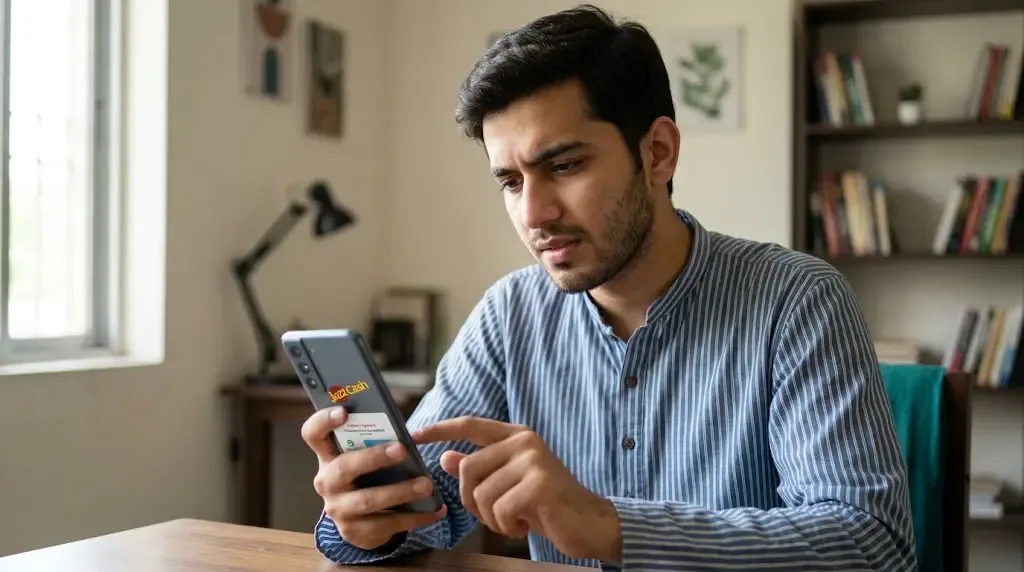
Bro, you know that feeling. You’re ready to jump into Aviator or Teen Patti, money is sitting in your JazzCash or EasyPaisa, you hit deposit… and it fails. Annoying as hell. Happens to almost every player at some point. Don’t panic. Most of the time the problem is simple and fixable if you check the right things in order. Here’s the straight talk on why deposits fail and exactly what to do.
1-Minute Quick Self-Check First
Do this before anything else:
- Check your JazzCash / EasyPaisa balance is more than the amount + any fee.
- Look at the daily limit and single transaction limit in the app.
- Make sure your CNIC verification and biometric are fully done.
- Switch to mobile data or good Wi-Fi and try again.
- Confirm you copied the exact account number / mobile number the game asked for (no extra spaces).
- Wait 5–10 minutes if you already tried 2–3 times in a short period.
If any of these is wrong, fix it and test with a small amount first (like 100–200 PKR). Most of the time this already solves it.
Common Reasons + Exact Fixes
1. Balance not enough or daily/single limit hit
Why it happens: You think you have enough money, but the app sometimes holds a small amount or the daily limit is already used. Single transfer limit can also block bigger deposits.
What to do:
- Open JazzCash or EasyPaisa app.
- Go to Home → check available balance carefully.
- Tap on Limits or Account Limits (usually under Profile or Settings).
- See your daily limit and remaining amount.
- If limit is low, wait till next day or transfer smaller amount.
- Try depositing a small test amount first.
If still fail, note the exact error message and check again after 30 minutes.
2. Account verification incomplete (CNIC, selfie, biometric)
Why it happens: JazzCash and EasyPaisa block or limit transactions if full KYC is not done. Many players skip the selfie or biometric step and then deposits start failing.
What to do:
- pen the app.
- Go to Profile or My Account.
- Look for “Verification”, “CNIC”, or “Biometric” status.
- If it says incomplete, follow the steps: upload CNIC front & back, take clear selfie, complete fingerprint/face if asked.
- Wait for approval (usually few minutes to few hours).
- Once it shows Verified, try small deposit again.
If verification is stuck, contact support from inside the official app only.
3. Network unstable or app cache problem
Why it happens: Weak signal or old cache data makes the payment request fail even when money is there.
What to do:
1. Switch between Wi-Fi and mobile data.
2. Close the JazzCash / EasyPaisa app completely (swipe it away).
3. Clear cache:
- Android: Settings → Apps → JazzCash/EasyPaisa → Storage → Clear Cache.
- iPhone: Offload the app then reinstall if needed.
4. Restart your phone.
5.Open the app again and try a small amount.
Most of the time this works when everything else looks fine.
4. Wrong payment details on the game side
Why it happens: You typed the account number or mobile number wrong, or copied extra space. Game systems are strict — one digit off and it fails.
What to do:
- Go back to the deposit page on the game.
- Copy the exact JazzCash / EasyPaisa number they show (don’t type manually if possible).
- Paste it carefully — check there is no space at the beginning or end.
- Double-check the amount.
- Confirm and try again with small test amount.
If the game gives a reference or order ID, keep that screenshot.
5. JazzCash or EasyPaisa temporary maintenance / heavy traffic
Why it happens: Evening hours, match days, or system updates can make the payment gateway slow or temporarily down.
What to do:
- Check the official JazzCash or EasyPaisa app notifications or home screen for any maintenance message.
- Wait 15–30 minutes and try again.
- Try a different time (early morning or afternoon is usually smoother).
- If it keeps failing for more than 1–2 hours, use the in-app help/chat.
Don’t keep hammering the same amount every 30 seconds — that can trigger more blocks.
6. Risk control / OTP / device / multiple attempts
Why it happens: Too many failed tries in short time, new device, or unusual activity makes the system ask for extra OTP or just block the transaction for security.
What to do:
- Stop trying for at least 30–60 minutes.
- Make sure you are on your usual device and SIM.
- When OTP comes, enter it correctly and quickly.
- If it asks for biometric or PIN again, complete it.
- After waiting, try only one small test deposit.
If it still says blocked or risk related, go to the official app support and explain. Have ready: your registered mobile number, approximate time of attempts, and screenshots of the error.
7. Other common issues (old app, SIM problems, different network)
Why it happens: Outdated app version, SIM not properly registered, or using JazzCash on Telenor/Zong data sometimes causes glitches.
What to do:
- Update JazzCash / EasyPaisa from official Play Store or App Store.
- Check if your SIM is active and has good signal.
- Try using the same network as your wallet (Jazz for JazzCash, Telenor for EasyPaisa if possible).
- Log out and log back in.
- If nothing works, uninstall → restart phone → reinstall from official store only.
Important Safety Reminders
- Always test with small amount first (100–500 PKR).
- Never share your OTP, PIN, or CNIC details with anyone — not even “support” people who message you.
- Official help is only inside the JazzCash or EasyPaisa app. Don’t click random links or WhatsApp numbers claiming to be support.
- Keep screenshots of every attempt (error message + time) so if you need real support you have proof.
Final Straight Advice
Most deposit fails are either limit, incomplete verification, wrong details, or temporary system issue. Go through the 1-minute checklist first, then fix the matching reason with the exact steps above. Start small, stay patient, and don’t spam attempts.
Protect your account and money — once the payment side is clean, deposits usually go through without drama. Stay safe, bro.