What to Do If Your Deposit Hasn’t Arrived: A Step-by-Step Troubleshooting Checklist
GamePK Editor · · 3 views
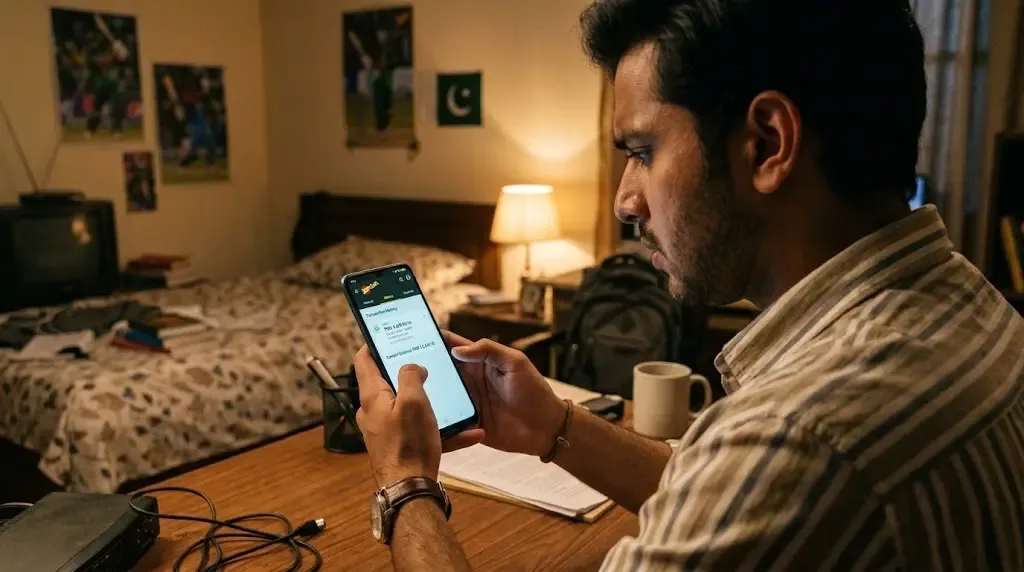
You just sent PKR 1,000 or PKR 5,000 from your JazzCash or EasyPaisa account. The money is gone from your wallet, but when you open your casino app to jump into a quick game of Aviator or Teen Patti, your balance still reads 0. Your heart drops, and panic sets in: Did I just lose my money? Is this a scam? Take a deep breath and don’t panic.
I’ve helped dozens of players in Pakistan deal with this exact issue. In almost 90% of cases, your funds are completely safe—they are just stuck somewhere in the digital pipeline.
Follow this checklist step by step, just like I’m sitting next to you on WhatsApp guiding you through.
1-Minute Quick Check
Before diving into full troubleshooting, run through these quick actions first:
- Force close and reopen the app: Swipe it away from your recent apps and relaunch it.
- Log out and log back in: This forces the server to update your account balance.
- Check your SMS and e-wallet history: Make sure the money actually left your JazzCash or EasyPaisa account.
- Take a screenshot: Capture the transaction receipt from your wallet immediately, including the TID / Transaction ID.
Still missing your balance? Let’s break down every possible reason and fix it step by step.
Step-by-Step Troubleshooting Checklist
1. The Deposit Is Still Processing (Normal Bank Delay)
What’s happening: E-wallet gateways like JazzCash and EasyPaisa usually process instant transfers, but payment servers can experience temporary traffic spikes—especially during peak evening hours or major cricket matches.
How to fix it:
- Open your JazzCash or EasyPaisa app and check the transaction history.
- Look at the transaction timestamp.
- Wait at least 15 to 30 minutes before raising an issue.
Next step: If 30 minutes have passed and your balance is still unchanged, move to Step 2.
2. Transaction Succeeded in Wallet, but Game App Shows Pending
What’s happening: Your local wallet sent the money successfully, but the payment gateway bridging your wallet and the gaming platform hasn't updated the status on the app's backend.
How to fix it:
- Go to your gaming app’s Deposit History or Transaction Record tab.
- Locate your deposit attempt and check its status (Pending, Processing, or Failed).
- If it says Pending, tap the record—some apps have a manual "Refresh Status" or "I Have Paid" button.
Next step: If the order status says Failed or remains stuck after refresh, move to Step 3.
3. JazzCash or EasyPaisa Deducted Money, but Merchant Didn't Confirm
What’s happening: The funds left your personal bank account, but the payment system failed to automatically match your payment to the deposit request generated inside the app.
How to fix it:
- Check your SMS inbox for the official receipt message from 8558 (JazzCash) or 3737 (EasyPaisa).
- Verify the recipient account details shown on the receipt against the payment details requested by the app.
- Ensure the exact amount you sent matches the requested amount (e.g., if you created a request for PKR 2,000, sending PKR 1,990 or PKR 2,010 will cause an auto-matching failure).
Next step: Keep that SMS receipt handy. If the details match but no funds appear, move to Step 4.
4. Wrong User ID, Mobile Number, or Reference ID
What’s happening: A tiny typo in your UID/Player ID, or forgetting to paste the required Reference/Transaction ID into the app's deposit form, will prevent automatic crediting.
How to fix it:
- Open the app’s deposit page and check if there is an option to input a TID (Transaction ID) for offline/manual verification.
- Double-check your profile settings to ensure your registered phone number matches the account you transferred from (if required by the platform).
- Carefully copy the 11-12 digit TID from your e-wallet receipt and paste it into the deposit confirmation field inside the app.
Next step: If you made a typo in your UID during payment, stop here and jump straight to the "Contacting Support" section below.
5. Network Glitch or Local App Cache Bug
What’s happening: The money has actually arrived on the server, but your phone is displaying outdated cached data due to a weak network connection.
How to fix it:
- Switch your network connection (turn Wi-Fi off and use mobile data, or vice versa).
- Go to your phone’s Settings > Apps > [Game App Name] > Storage.
- Tap Clear Cache (Do NOT clear data unless you remember your login credentials).
- Relaunch the app and refresh your balance.
Next step: If your balance is still 0 on a clean app, move to Step 6.
6. Security Checks & Fraud Prevention Hold
What’s happening: Gaming platforms and banking providers run automated risk control checks. Unusually large deposits or mismatched account names (e.g., depositing from a friend's EasyPaisa account) can trigger a temporary hold.
How to fix it:
- Make sure the name on your JazzCash/EasyPaisa account matches your registered profile.
- Check your email or in-app message center for any notifications requiring account verification (KYC).
- Prepare a copy of your CNIC if identity verification is requested.
Next step: If no security alert appears, move to Step 7.
7. Platform Maintenance or Wallet Gateway Downtime
What’s happening: The platform's payment API or 1LINK banking servers in Pakistan are undergoing scheduled maintenance.
How to fix it:
- Check the announcement banner inside the game app.
- Check official social channels or community groups to see if other users are reporting similar delays.
- Allow up to 2 to 4 hours during known banking downtime (often late at night).
Next step: If all general reasons are ruled out, prepare to contact official customer support.
8. Rare Cases (Reversed Transactions & System Timeouts)
What’s happening: On rare occasions, a banking timeout occurs, and the transfer fails silently. The money isn't received by the merchant and will automatically reverse back to your wallet.
How to fix it:
- Wait 24 hours and monitor your JazzCash/EasyPaisa balance.
- Look for an incoming transfer with a description like "Transaction Reversal" or "Failed Transfer Refund."
- Contact your wallet support (JazzCash dial 4444 / EasyPaisa dial 3737) to confirm if the transaction is pending reversal.
How to Contact Customer Support effectively
When self-checks don't resolve the issue, contact the platform’s live support immediately. To get your issue fixed on the first attempt, send all required details in one clear message:
What to prepare before contacting support:
- Your Game Account ID / UID: (e.g., UID: 87654321)
- Deposit Amount: (e.g., PKR 2,500)
- Payment Method: (JazzCash or EasyPaisa)
- Sender Account Details: Your phone number and title name on the wallet.
- Transaction ID (TID): The 11-12 digit code from your SMS/app receipt.
- Date & Time of Payment.
- Clear Screenshot: A full image of the successful transfer receipt showing the TID, date, and amount clearly.
Pro Tip Message Template:
- "Hi Support, I deposited PKR [Amount] via [JazzCash/EasyPaisa] on [Date/Time]. The money was deducted, but my balance hasn't updated. My Player UID is [Your UID] and the Transaction ID is [TID]. I have attached the payment receipt below. Please assist."
Crucial Security Warnings
Your safety is more important than any game balance. Please keep these rules in mind at all times:
- NEVER share your PIN or OTP: No real customer support agent will ever ask for your JazzCash/EasyPaisa MPIN or One-Time Password.
- Beware of fake support on social media: Never trust random accounts on Telegram, WhatsApp, or Facebook claiming to be "official support." Only use live chat inside the official app.
- Do not click suspicious links: Ignore SMS or WhatsApp messages offering "instant refunds" via external links.
- Gamble Responsibly: Online gaming involves financial risk. Never deposit money that you cannot afford to lose, and never chase losses when you are stressed or emotional.
Final Thoughts
Having your deposit delayed is frustrating, but it happens to almost every player at some point due to daily banking network load in Pakistan. Work through the steps calmly: screenshot your proof, double-check your TID, verify your details, and reach out to official support with complete information.
Your money doesn't just disappear into thin air—follow the process, and it will be sorted out!